SQL Data Query
DLH.io documentation for SQL Data Query
Many of our business customers solve their one off data sharing needs by using a simple sql data query connection.
A SQL Data Query connection allows a SQL query to query data from their source system, such as a Cloud Data Warehouse database and send the results of that data set somewhere else such as via SFTP as part of their integration workflow.
It is as easy as it sounds. Create SQL query against a known data source such as your database table(s), joins are allowed, etc. Then take the proven query and enter it in the SQL Query field of the SQL Data Query.
This now becomes a SQL data query connector that is based one of our existing cloud data warehouse connectors (other application systems such as NetSuite SuiteQL are possible), and it can then be added as a source in your Sync Bridge to load to your target destination of choice, i.e.: Cloud Data Warehouse, SFTP.
Prerequisites
You need to make sure that:
-
You have a source connector already created for your Cloud Data Warehouse
- SQL data Query connector needs a source from which to query. This is done by selecting the source in question in the new SQL data Query source connection form. Without an existing Cloud Data Warehouse connection (e.g.: Snowflake Source Conector) you will not be able to use this connector.
-
You have an existing working query that you've validated returns results/records.
-
You understand that SQL Data Query results can be limited based on your current subscription plan. The lower plan(s) are limited and controlled to allow a maximum of 100,000 results/records based on any one query.
-
Only one SQL query per SQL Data Query connector are allowed otherwise your connector is likely to result in failure. CTE's are permissable.
Setup Instructions
Using the source connector form please complete the following basic steps:
- Enter a Name or Alias for this connection, in the Name/Alias field, that is unique from other connectors.
- Enter in the Target Schema Prefix field, a name that will be unique in your data cloud destination where you wish to land the data.
- Select from the Source Cloud Database dropdown, a source connection you've previously created from which this query will be executed.
- If you do not yet have a source connector to a cloud data warehouse you must create one before this connector can be create.
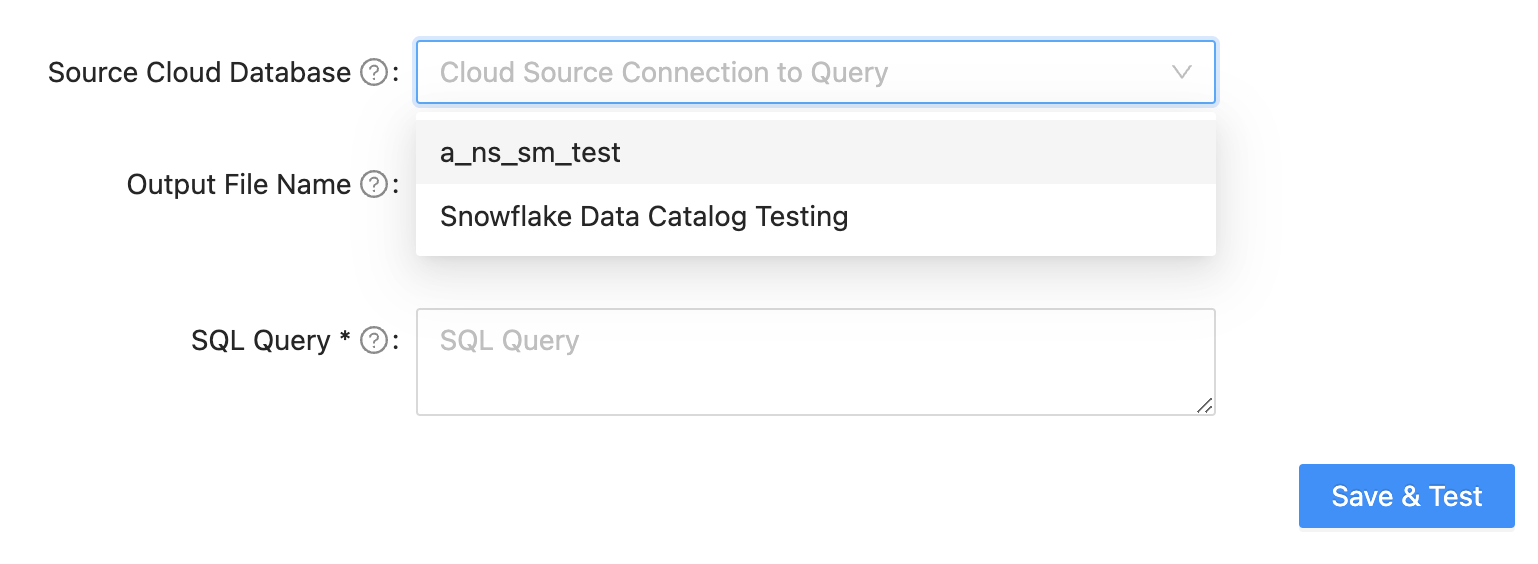
- Enter the Output File Name for what the target result of this query will be referrenced as when it is used by the target system, which can differ slightly depending on the target connection is aligned with in a Sync Bridge for example.
- JINJA Usage:
- Basic JINJA can be used for timestamp logic in the folder path to determine what the dynamic structure of the S3 bucket might be, for example as a time based solution, if looking in a folder prefix/bucket as such, 2025/11/10/myfiles/otherfiles/, and the date structure is correctly used over time, then the following JINJA expression can be used in the Folder Path field,
{{ today() | format_date('YYYY') }}/{{ today() | format_date('MM') }}/, to ensure that DLH.io is dynamically retrieving from that folder each day
- Basic JINJA can be used for timestamp logic in the folder path to determine what the dynamic structure of the S3 bucket might be, for example as a time based solution, if looking in a folder prefix/bucket as such, 2025/11/10/myfiles/otherfiles/, and the date structure is correctly used over time, then the following JINJA expression can be used in the Folder Path field,
- JINJA Usage:
- Enter in the SQL Query field the SQL code which you have previously validated
- Click Save & Test to save the connector